
Can I add multiple Stripe accounts?
Yes. Each Stripe account gets its own automation, linked to one QuickBooks Online company. You can connect several Stripe accounts to the same company, or to different companies.
Add a Stripe account to a QuickBooks company you already connected
- Sign in at app.sush.io.
- On the Automations page, find an automation linked to that QuickBooks company.
- At the bottom of it, click Add another Stripe account to [your company].
- Authorize the other Stripe account, then follow the setup steps.
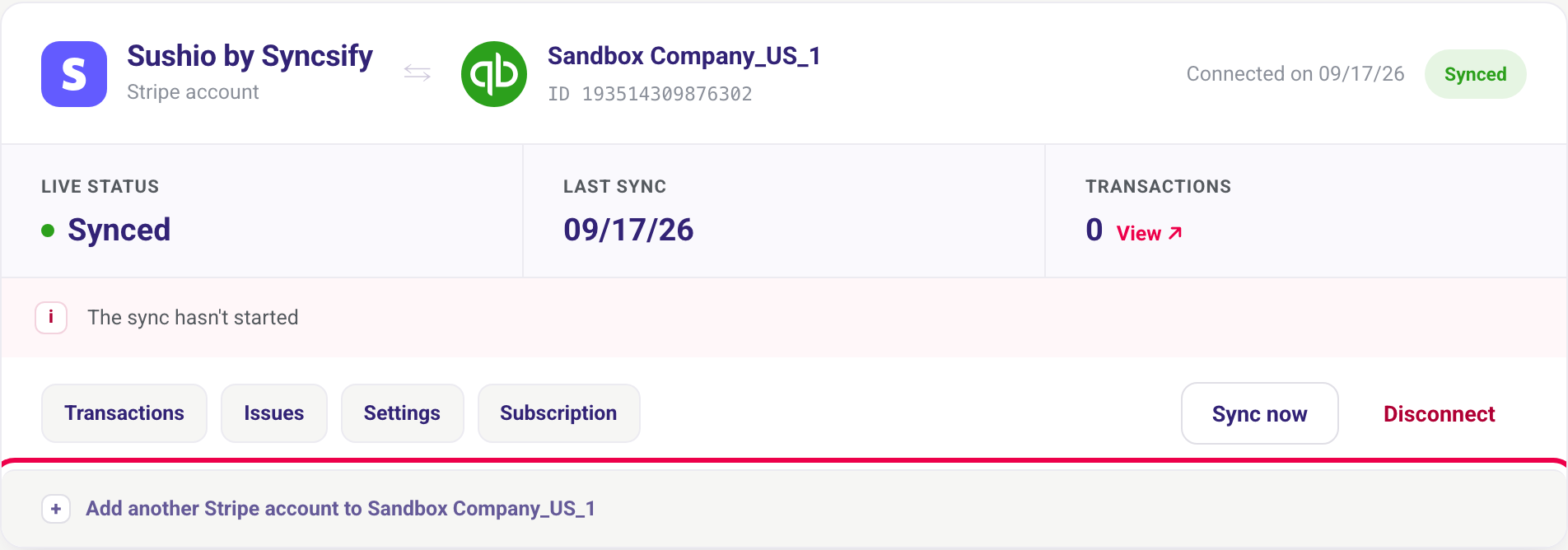
Your existing QuickBooks connection is reused: there is no new QuickBooks authorization.
Add a Stripe account to another QuickBooks company
Click New automation, then Connect under QuickBooks + Stripe. Choose Connect another QuickBooks account, click Connect to QuickBooks and pick the other company. See How to connect Stripe to Sush.io.
Good to know
- Each automation has its own subscription.
- A Stripe account can be synced only once to the same QuickBooks company. Syncing it twice would record every transaction twice, so Sush.io blocks it.
- Each automation can be disconnected without affecting the others.
Need help?
Contact us through the Need help? button in the app.